
DeepDojo.AIPublished 2026-11-16中文
When a Claude Code Workflow Is Worth Automating
With Claude Code, writing a script costs almost nothing. So even when a need has come up exactly once, it's tempting to spend a whole day turning it into a general-purpose script or a polished workflow.
Often the script comes out flawless, and that situation never comes up again. A day gone.
The opposite happens too. You run the same checks before every PR and assemble the same handoff notes every time you switch sessions. These come up several times a week, yet you still type the prompt by hand, and one skipped step means rework.
The hard part is timing and form: which workflows are worth locking in, and as what? A rule, a Skill, a slash command, a script, a hook, CI, or a plugin? A practical rule of thumb is "three strikes":
- The first time, do it by hand and learn where the traps are.
- The second time, write a short checklist that pins down the core steps.
- The third time it shows up unchanged, with stable inputs, outputs, and acceptance criteria, turn it into a tool.
To choose the form, look at when it needs to load, who triggers it, and how widely it will be reused. Steps that need judgment and wording go to a Skill; deterministic steps go to scripts and CI.
01 Check Whether the Workflow Qualifies
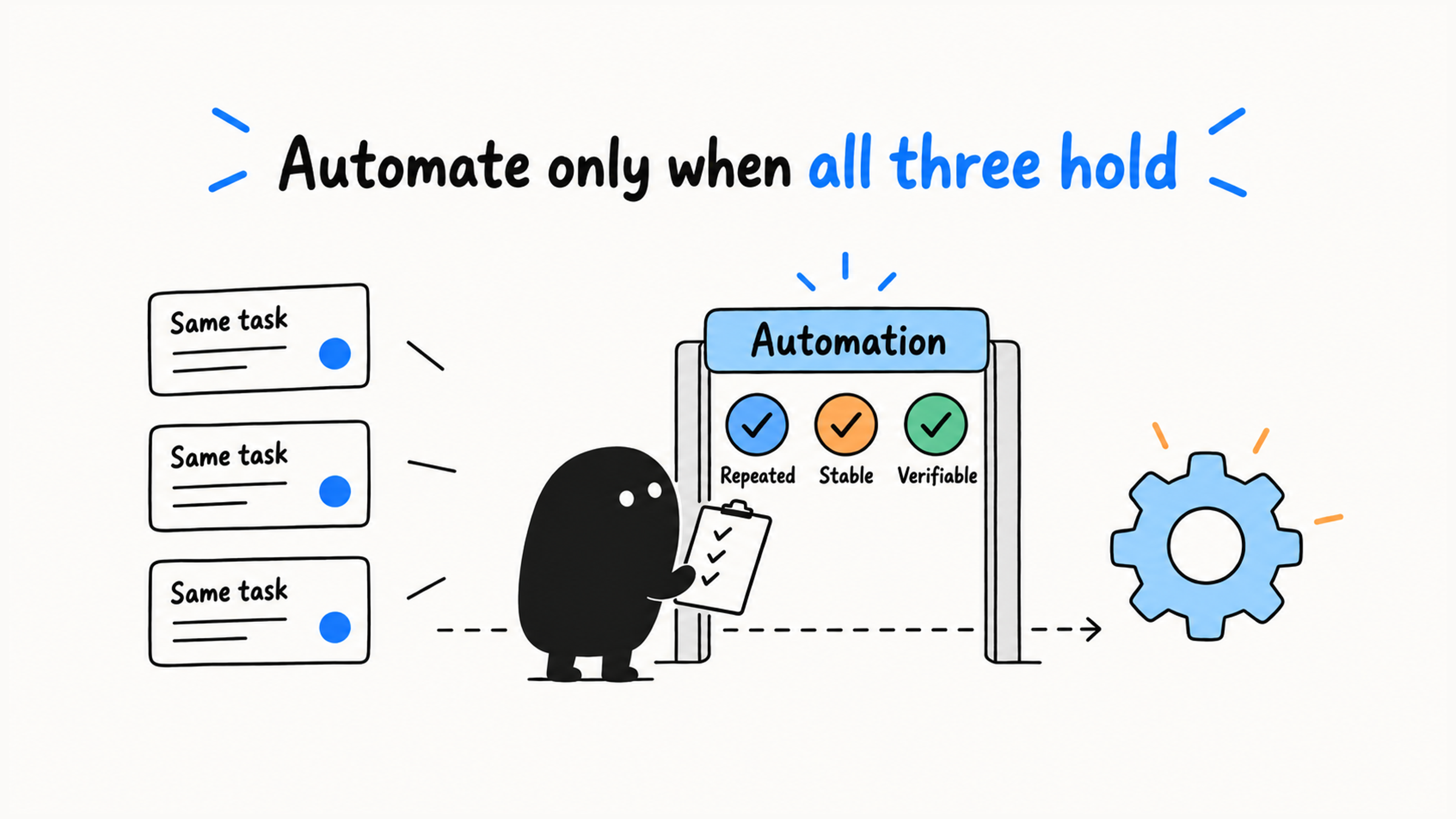
A workflow worth automating usually meets three conditions at once:
- It really repeats: it has already come up several times in real work.
- Its steps are stable: the main inputs, actions, and boundaries have stopped changing much.
- Its results can be verified: tests, a diff, a checklist, or other evidence can tell success from failure.
Repetition that actually happened
  → Steps settle down
  → Results can be verified
  → Decide who triggers it and where it's reused
  → Choose a rule, Skill, command, plugin, or script
A workflow you're still adjusting often should stay a template. Consider automatic triggers only once you can check it the same way every time.
Two contrasting examples. Pre-commit checks come up again and again, with fixed steps: read the diff, run tests, run lint, write the commit message. Each step can be checked, so it makes a good /pre-commit-check command.
Customer troubleshooting also recurs, but the entry point, logs, and environment differ each time, so the whole flow may not suit fixed automation. Save the question list and diagnostic method first: confirm the version and the repro, separate facts from assumptions, record failed attempts. Leave each case's environment and root cause out of it. Then automate the parts with clear steps and checkable results.
Check how often it repeats, how stable the method is, and whether results can be verified, and you'll know how far up the ladder a workflow can go.
02 Climb the Automation Ladder One Rung at a Time
Maturity can grow step by step:
Do it by hand
  → Save a template or alias
  → Have Claude Code follow fixed steps
  → Package it as an on-demand Skill or command
  → Trigger it automatically with a script, hook, or CI
  → Bundle it as a Plugin when it needs distributing
Take pre-PR checks. They start as a manual checklist, become your own /pre-pr-check command, and finally the deterministic tests and lint move into CI. The checklist cuts down on missed steps, the command saves you from re-explaining every time, and CI runs the checks automatically on engineering events like commits and PRs. At each rung, name the specific problem it solves.
03 Every Session Goes in Rules; Some Tasks Go in a Skill
User-level and project-root CLAUDE.md files load when a session starts; rules in subdirectories usually load when related files are accessed. It suits a small set of rules that must be followed every time:
~/.claude/CLAUDE.md
./CLAUDE.md
Three kinds of content belong there: the project's hard constraints, stable rules Claude Code keeps breaking, and the minimum background needed to enter the project. One-off tasks, long tutorials, rarely used workflows, and outdated constraints keep taking up context and should be deleted or moved.
A Skill is a focused set of instructions in a SKILL.md file, loaded on demand. It suits task workflows, writing standards, toolchain steps, and longer methods. When that kind of task comes up, Claude Code can call the Skill itself, and you can trigger it too.
Loading time gives the simplest test:
Needed in every session? → `CLAUDE.md`
Needed only for some tasks? → Skill
When reviewing an existing CLAUDE.md, put each item into one of four buckets:
- Stable and needed every time: keep.
- Right direction but too broad: narrow.
- Detailed, task-specific workflow: move to a Skill.
- Temporary, duplicated, or outdated: delete.
You can also check against recent sessions whether the rules are actually followed; the last section of how to keep earlier agreements across sessions covers reviewing rules with session history.
04 Choose the Mechanism by Who Triggers It
Slash commands suit fixed workflows you trigger on purpose, such as generating a handoff, analyzing a GitHub Actions failure, or cloning a session.
According to Claude Code's Skills docs, custom commands have been merged into Skills:
.claude/commands/deploy.md
.claude/skills/deploy/SKILL.md
Both give you /deploy, and the old .claude/commands/ still works. A Skill can be invoked automatically for relevant tasks and can also serve as an entry point you trigger yourself. Pick one location per workflow.
For workflows like deployment that only you should start, set disable-model-invocation: true in the YAML at the top of the Skill. Calling it a "command" doesn't stop the model from invoking it.
More deterministic operations belong in scripts, hooks, or CI:
| Mechanism | Who triggers it | Good for |
|---|---|---|
| Skill | Claude Code or you, on demand | Task workflows that need judgment and explanation |
| Slash command | You, on purpose | Fixed entry points where you control the timing |
| Script | A person or another program | Stable steps with clear inputs and outputs |
| Hook | A specific event, automatically | Formatting, reminders, light checks |
| CI | Engineering events such as commits and PRs | Tests, lint, builds, and merge gates |
These mechanisms can work together inside one workflow. In CI troubleshooting, deciding which part of the log is the root cause takes analysis, so it fits a Skill; running fixed tests and reporting the exit code can go to a script or CI.
Pre-PR checks can be split across three mechanisms:
- Skill: reads the diff, judges risk, and drafts the PR description, covering the steps that need understanding and wording.
- Script: runs tests, lint, and sensitive-file checks in fixed steps, and the Skill interprets the results.
- CI: checks again in a consistent environment. Once required checks and branch protection are configured, passing becomes a condition for merging.
A check that lives only in a local Skill can't stop commits that bypass the workflow. Be clear about who triggers each check and whether a failure blocks what comes next.
05 Bundle a Plugin When Several People Need It
A Plugin combines Skills, slash commands, subagents, hooks, and MCP servers into one package you can install and upgrade, which makes team sharing, versioned releases, and reuse across projects easier. The official Plugin docs describe it as a directory of components that Claude Code installs and loads as one unit.
For solo experiments or one project's customizations, files in the .claude/ directory are the lightest option. Packaging as a plugin pays off only when several people or several projects need to keep the same capabilities in sync. Get the workflow solid in your own main project first, then share it, and later upgrades and maintenance go smoothly. Plugin commands are usually namespaced, such as /my-plugin:hello, which avoids clashes with other people's commands.
The choices fit in one table:
| Need | Where it lives |
|---|---|
| Followed in every conversation | CLAUDE.md |
| Loaded on demand for some tasks | Skill |
| A fixed workflow you start yourself | Slash command in Skill form |
| A set of capabilities shared across a team | Plugin |
| Stable steps triggered automatically | Script, hook, or CI |
The dx (Developer Experience) plugin from the third-party repo ykdojo/claude-code-tips is an example of bundling several frequent workflows into one package:
| Command or skill | Purpose |
|---|---|
/dx:gha <url> | Analyze a GitHub Actions failure |
/dx:handoff | Generate a task handoff document |
/dx:clone | Clone the current session |
/dx:half-clone | Start a new session with only the second half of the history |
/dx:reddit-fetch | Fetch Reddit content |
/dx:review-claudemd | Review CLAUDE.md |
/dx:hn-summarize | Summarize Hacker News articles and comments |
/dx:version-check | Judge the Claude Code version and update strategy |
To install:
claude plugin marketplace add ykdojo/claude-code-tips
claude plugin install dx@ykdojo
After installing, you can call /dx:handoff, /dx:clone, /dx:half-clone, and /dx:gha <GitHub Actions URL> yourself, and capabilities such as reddit-fetch may be invoked automatically for related tasks. For structured web work, pair it with Playwright MCP:
claude mcp add -s user playwright npx @playwright/mcp@latestDecide by how often you'd use it. If you'd use several of these regularly, installing and upgrading them together is easier. If you only clone a session now and then, a standalone setup is simpler to maintain. Before installing, confirm your environment allows third-party plugins and check the script permissions it needs. Even if you use only a few features, review all the scripts, permissions, and update responsibilities the whole package brings in; a review checklist for Claude Code setup scripts walks through that item by item.
06 Start Personal Tools at the Smallest Version
Claude Code makes small tools cheap to build. When you keep doing something by hand, existing tools are too heavy, and the need is yours alone, build a minimal local tool: speech-to-text, file organizing, CSV analysis, a status line, a one-page calculator, or a light Slack or Notion automation.
Build the core function first. If it runs fine on one machine, keep it local; if a local SQLite database is enough, use it. Before starting, define the smallest useful result and what's explicitly out:
I want a small tool just for myself.
Design the smallest version that solves the core problem first. No login, cloud sync, plugin system, or complex configuration.
It only needs to run locally. Keep it simple, easy to check, and easy to change.
Use the minimal version on a few real tasks, then note what's still slow or error-prone. If the tool only ever runs on your machine, push login and cloud sync off and focus changes on the problems you actually hit.
Picture a file-organizing tool that already does what you need. Then, because "someone else might use it," it keeps gaining accounts, cloud sync, and a rules engine, until maintenance outweighs the organizing it was built for. Before adding a feature, check whether a real, recurring problem calls for it and whether it fits the tool's purpose. Write down unproven needs and set them aside.
07 Six Questions Before You Lock a Workflow In
To decide where a workflow belongs, ask in order:
Does it really repeat?
Are the steps stable?
Can the results be verified?
Who needs to trigger it?
Is it for one project, or does it need to go across projects or a team?
What permissions, files, or remote state would automatic runs change?
A constraint you follow every time you enter the project goes in CLAUDE.md. A method you only use when debugging CI goes in a Skill. Stable tests go in CI. When several people need the same set of capabilities installed, consider a Plugin to distribute it.
That one-off general script, run by hand three times first, would probably have turned out to be unnecessary. Get a workflow steady while it's still manual, and at every rung up, be able to name the specific problem it solves.