
DeepDojo.AIPublished 2026-11-15中文
Claude Code Forgot What You Agreed On Last Session
In the very first exchange of a session, you and your product manager confirm a key requirement: because of a third-party contract, every request timeout must be exactly 30 seconds. The conversation moves fast, and nobody thinks to write that line into CLAUDE.md or the project config.
A few days later the session is too long, so you run a script that trims away the first half of the history. The new session inherits only the recent code details and has no idea that limit exists. The next time it tunes for performance, it changes the timeout to 5 seconds, and the problem slips in quietly.
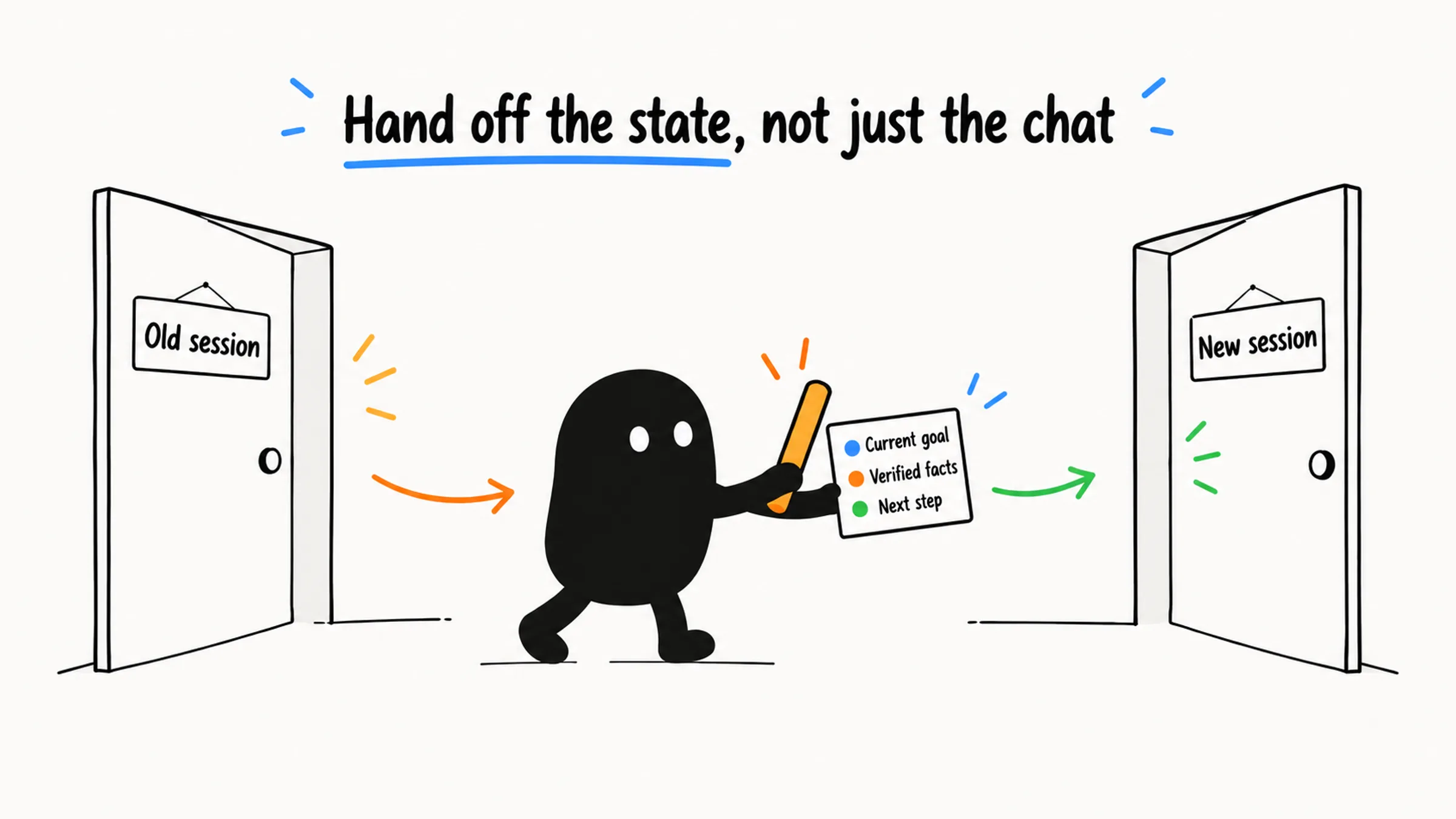
To continue a long task, Claude Code needs the current goal, what's been tried, and the next step. Session history provides those, along with old goals, failed attempts, and side discussions. New sessions, compaction, handoff files, branches, and trimmed history each decide for you which facts move into the next stretch of work and which stay behind.
So before switching sessions, answer two questions:
- Which facts does the next stretch of work depend on, and which hard constraints were said only once and recorded nowhere else?
- Do you need a summary, a handoff file, or the raw conversation itself?
Then pick the tool. Same task and the history is still useful: compact. Only a few key facts matter: write a handoff file. You want to keep the current route and try another: branch. Trimming history: preview what gets cut and move any one-of-a-kind constraint into a file first.
01 Decide Whether to Switch Sessions
Long sessions show familiar symptoms: noticeably slower replies, repeating things already explained, losing track of the current focus, carrying old task limits into new questions, or needing you to correct the same direction again and again.
Look twice at "slower." Many people see Claude hesitate before answering and assume the context has blown up. But a slow first token can also come from a busy remote service, or a local test command that's hung and pinning the CPU. /compact fixes neither.
Check which stage the terminal is stuck in, then run /context to see how much of the window is in use. Compacting or handing off helps when the context really is large and old topics are interfering. If context is at 20% and a background process is throwing errors, go fix your local environment.
Once you know the session itself is the problem, pick by task state:
Is the current task still going?
  ├─ No: new session or /clear
  └─ Yes
      ├─ The history is still useful overall: /compact
      ├─ Only key facts need to carry over: handoff file or plan-mode handoff
      ├─ Keep the current route and try another: /branch or --fork-session
      └─ Recent raw conversation matters, early history doesn't: half-clone
A handoff is a written transfer note. Half-clone is a third-party approach that keeps only the second half of the history. When you're starting out, learn new sessions, /compact, and handoff files first; reach for branching and trimming when you need to compare approaches or keep raw detail.
A new session doesn't bring the old discussion with it. Some people cling to one session for three or four days, piling up drafts that went stale long ago. Treat a session as the workspace for the current task. If the work continues, distill the key conclusions into a handoff document and open a clean session. A tidied history lets Claude focus on what's in front of it.
02 A Handoff File Records the Dead Ends
When a long task pauses, moves to a new session, or goes to a teammate, create a HANDOFF.md in the project:
Create or update `HANDOFF.md` in this project.
Record the current goal, what's done, methods that worked, failed paths, key files, and the next step.
A new Claude Code session should be able to find the next step from this file, then read the key files and verification records, check the current state, and continue.
For whoever picks it up to know how to continue, the handoff needs at least six parts:
| Section | State to record |
|---|---|
| Goal | The specific result to deliver, and its boundaries |
| Current Progress | What's done and where work stopped |
| What Worked | Verified methods, commands, and conclusions |
| What Didn't Work | Failed approaches, why they failed, and paths already ruled out |
| Key Files | What each file does, its change status, and related tests |
| Next Steps | The smallest next action, the order, and how to verify it |
People often save time with a one-liner: "Transcription module still broken, keep fixing." The new session still doesn't know where to start. What's broken? How do you reproduce it? Which dead ends did you spend the last hour on?
If the handoff doesn't spell out the paths already ruled out, the new session will walk straight back into every hole you already found. List the exact failing test command, the error output from the terminal, and the approaches you tried and disproved. Then the new session can pick up from that evidence.
Here's what a filled-in HANDOFF.md excerpt looks like:
## Goal
Fix the transcription module hanging on long audio (>30 minutes); don't change the output format.

## Current Progress
- Reproduced: `pnpm test transcribe -- --fixture long.mp3` hangs at minute 12
- Stopping point: suspect the streaming read never finishes; not verified

## What Worked
- Short audio works; the problem only appears in the streaming branch (`src/transcode/stream.ts`)

## What Didn't Work
- Larger buffer: no effect, reverted (see commit a1b2c3)
- Switching to synchronous reads: works but doubles memory, violates the constraint

## Key Files
- `src/transcode/stream.ts` (suspect)
- `tests/transcode/stream.test.ts` (repro case, `--timeout` added)

## Next Steps
1. Add logging to the while loop at `stream.ts:87` to confirm the exit condition
2. Rerun the repro command; if the hang point moves, update this file
For a stricter version, add: if the file already exists, read it before updating, and record key file paths, commands run, observations, failure reasons, and the next verification. The new session then needs only:
Read `path/to/HANDOFF.md`, check the current project state, then continue with the next step.When picking up, check the repro command, the files, and the current state first. A handoff works only if whoever takes over can run a clear next step from it; "reproduce first" isn't enough.
03 Compaction, Plan-Mode Handoffs, and Handoff Files
When the same task continues, you can compact in place, or package what matters and move to a fresh context. They keep information differently:
| Method | How it keeps information | When to use it |
|---|---|---|
/compact | The system summarizes the current conversation | The task continues, the history is still valuable overall, and you need room fast |
| Plan-mode handoff | Turns what's needed to continue into a plan | The task is moving and needs a clean context, but you don't want a formal file yet |
| Handoff file | Saves task state as a project file | A long task pauses, crosses sessions or people, and needs review and long-term storage |
Enter plan mode with /plan or Shift+Tab, then ask:
Put together the context a brand-new agent needs to continue this task.
It can't see the current history, so the plan must cover the goal, key files, verified methods, failed paths, risks, and verification steps.
Here plan mode organizes the handoff. To move to a new session, you still have to bring the plan over and confirm the new session has read it. For pauses, reviews, or handing work to another person, a handoff file is easier to keep and check. Either way, record where work stopped so the next person knows what "the remaining work" actually means.
Keep assumptions and conclusions apart in a handoff. Write "suspect the streaming read never finishes" exactly that way, rather than turning it into "the root cause is the streaming read." The new session can test the hypothesis with the same repro steps; if the code or input has changed since, check the current state first. A summary can drop the back-and-forth, but anything still unverified stays marked as unverified.
04 Branch to Keep One Route While Trying Another
Halfway through an approach you don't want to lose, you want to try something completely different. Start with Claude Code's built-in branching:
/branch try-streaming-approachIt copies the conversation so far and switches you into the new branch. The original session is untouched, and you can get back to it any time with /resume. The name is optional; without one, the branch is named after the conversation's first prompt.
One thing to remember: a branch separates conversation history only. The code on disk is still one copy. Two windows editing the same directory will still collide. To change code in parallel, give each route its own working directory with a Git worktree.
From the command line, you can also create a new session identity at launch:
claude -c --fork-session
claude -r --fork-session-ccontinues the most recent session.-rlets you pick from history.--fork-sessioncreates a new session ID on top of continue or resume.
The Claude Code sessions docs list what a branch inherits. The conversation history is copied. With /branch, "allow for this session" permission grants carry over; a new process started with --fork-session asks for approval again.
If you use it often, a small shell function can expand --fs into --fork-session, so claude -c --fs works. That only shortens typing; the way the session identity is created stays the same.
05 Preview Before Trimming History
/branch and --fork-session are built in. Clone and half-clone come from scripts or the dx plugin in the third-party repo ykdojo/claude-code-tips; they copy or truncate local history. They don't come with Claude Code, and their flags and markers depend on the version you actually installed.
A full clone copies the entire history. When early discussion is no longer useful but recent conversation still holds a lot of detail, half-clone keeps only the second half of the real messages. It fits when all three of these hold:
- The current task isn't finished.
- The recent raw conversation is more valuable than an automatic summary.
- Constraints from the first half are outdated or can be recovered from other material.
Common entry points are the half-clone-conversation.sh script, or /dx:clone and /dx:half-clone after installing the dx plugin. Before running a clone script, read the exact current session ID and project path, then find the script you actually installed:
tail -1 ~/.claude/history.jsonl | jq -r '[.sessionId, .project] | @tsv'
find ~/.claude -name "clone-conversation.sh" 2>/dev/null | sort -V | tail -1
The 30-second timeout from the opening got lost at exactly this step. Preview before trimming:
<script-path> --preview <session-id> <project-path>During the preview, confirm three things:
- The first message kept still explains the task's background.
- The last message matches the current session state.
- The part being dropped holds no one-of-a-kind hard constraint, verification evidence, or key decision.
If the early conversation you're about to drop holds the only record of an architecture decision, a security threshold, or a business boundary, copy it into project memory or documentation first. Confirm a new session can read it from the file, then trim. After confirming, run the script and resume the new session it returns:
<script-path> <session-id> <project-path>
claude --resume <new-session-id>
If you forget the ID, use claude -r and look for the [HALF-CLONE timestamp] marker.
If you already have a script that checks context usage, a Stop hook can call it and remind you when usage passes a threshold. A Stop hook runs each time Claude finishes a reply. The configuration below only wires it up; the threshold logic lives in the script:
{
  "hooks": {
    "Stop": [
      {
        "hooks": [
          {
            "type": "command",
            "command": "~/.claude/scripts/check-context.sh"
          }
        ]
      }
    ]
  }
}
Before wiring it in, check what the script actually reads and writes, and limit it to the files it needs. A reminder script should only remind. Blocking the reply from finishing or trimming the session automatically would skip the preview and confirmation steps above.
06 Find Old Solutions in Session History
When you need an old approach, a debugging conclusion, a prompt, or something that only ever existed in a conversation, search the local history. According to the sessions docs, Claude Code stores each session by default at ~/.claude/projects/<project>/<session-id>.jsonl, where the project folder name is your working directory path with every non-alphanumeric character replaced by -. For example:
/Users/yk/Desktop/projects/claude-code-tips
→ ~/.claude/projects/-Users-yk-Desktop-projects-claude-code-tips/
A .jsonl file holds one JSON record per line. Replace the username, project path, ..., and session ID in the commands below with your own values. Search by keyword and date:
grep -l -i "reddit" ~/.claude/projects/-Users-yk-Desktop-projects-*/*.jsonl
find ~/.claude/projects/-Users-yk-Desktop-projects-*/*.jsonl -mtime 0 -exec grep -l -i "keyword" {} \;
Pull out only the user messages:
cat ~/.claude/projects/.../conversation-id.jsonl | jq -r 'select(.type=="user") | .message.content'The docs warn that the record format is internal and changes between versions, so scripts that parse these files directly can break after an update. If you need to rely on session data long term, export it with /export.
Say you need a build config that only appeared in a conversation three days ago:
- Run
ls ~/.claude/projects/to find the current project's history folder. - Narrow it down with
grep -l -i "webpack cache" <folder>/*.jsonl. - Extract the messages with
jq, and check what the user confirmed and the final config, so you don't grab a rejected draft. - Once it fits the current project, save it to
build.config.jsand maintain it from that file.
Before restoring or processing history, confirm both the session ID and the project path. Your shell's current directory may have changed, so it can't tell you which project a session belongs to. History can contain project code, internal information, and user input. Keep searches as narrow as possible, and extract and redact only what you need before sharing anything.
07 Move Hard Constraints Into CLAUDE.md
The safest home for a constraint like that 30-second timeout is a file that loads at every launch. The project root and user-level CLAUDE.md load at startup. A CLAUDE.md in a subdirectory loads on demand when Claude reads or writes files there; see the Claude Code memory docs.
Three kinds of content belong in CLAUDE.md:
- rules Claude Code keeps breaking and must follow every time;
- the project's hard constraints;
- the minimum background anyone entering the project needs.
Many teams' CLAUDE.md only ever grows: a scaffolding convention from six months ago, a build command retired long ago, and long essays on architecture all mixed together. It wastes context, and conflicting old rules leave the AI torn when it writes code. Move module-specific knowledge into rules for that directory, or into a Skill loaded on demand; fewer, sharper rules get followed more reliably. For what belongs in CLAUDE.md versus a Skill, when a Claude Code workflow is worth automating has a comparison table.
You can ask for a review directly:
Review the current `CLAUDE.md`. Find content that's duplicated, outdated, conflicting, too broad, or better moved into a Skill, and explain whether to keep, narrow, move, or delete each item.Session history can also show whether rules are actually followed. The third-party review-claudemd skill samples your 15 to 20 most recent sessions and compares real usage against the current rules. First locate the project's history folder:
PROJECT_PATH=$(pwd | sed 's|/|-|g' | sed 's|^-||')
CONVO_DIR=~/.claude/projects/-${PROJECT_PATH}
ls -lt "$CONVO_DIR"/*.jsonl | head -20
This snippet only replaces slashes. If your path contains spaces, underscores, or dots, check the folder name by hand against the naming rule above.
The results fall into four groups, each handled differently:
| Group | Meaning | Example and action |
|---|---|---|
| Instructions violated | An existing rule is often ignored | Commit messages should be in Chinese but keep coming out in English: check loading, scope, and the actual wording before assuming that moving it to the top will help |
| Suggested additions - LOCAL | A stable rule for this project only | The project keeps asking to run tests for affected files; once it's stable, save it at the project level |
| Suggested additions - GLOBAL | A personal rule that applies across projects | Several projects ask for a file list before changes; save it as a personal preference |
| Potentially outdated | Outdated, duplicated, or conflicting content | The technical approach has moved on; delete or update the old requirement |
Every conclusion should state its basis and where it goes. For each rule, ask whether it's still valid and whether it applies every time you enter the project. Requirements that served one task belong in that task's documents or notes.
08 Choose by What You Need to Keep
To pull it together, three questions: Do the current session and the current task still match? Which pieces of history are essential to continue? Do you need a summary, task state, the full history, or one decision point?
| What you need to keep | Method |
|---|---|
| No old history | New session or /clear |
| An overall summary of the same task | /compact |
| Task state you can review and keep long term | Handoff file |
| A plan to hand straight to a clean context | Plan-mode handoff |
| The old route and a new route side by side | /branch or --fork-session |
| The most recent raw conversation | Half-clone |
| A past solution or piece of evidence | Search ~/.claude/projects/ |
Watching context usage in the status line when you start helps you spot the moment to switch sessions earlier; the Claude Code status line and multi-account setup guide explains how to set it up.
Decide what you need to keep, then pick the tool, and you'll know what remains after compacting, handing off, or branching. Write that 30-second limit into a file before trimming, and it survives however many sessions follow.