DeepDojo.AIPublished 2026-11-15中文
How to Review a Large Pull Request With Claude Code
You ask Claude Code to review a large pull request, and it comes back with five issues, each with a convincing explanation. The usual next step is to start fixing them one by one.
But when you ask it to re-check each finding, this is what you get:
- Two are backed by the diff and sound reasoning, and can be fixed on that basis.
- One is a suspected concurrency problem that needs a dedicated test.
- One came from missing an existing null check, and should be withdrawn.
- One depends on how an external service behaves, which hasn't been verified locally.
Of the five "issues," only two are ready to fix. Take them all at face value and you'll spend time fixing a bug that doesn't exist, and you may post a suspicion to the PR thread as if it were settled.
An AI review's findings are material to check too. Work through them in stages. First map the files and group them by risk, so your attention goes to deep water like permissions and migrations. Then have it re-check each finding and mark it verified, needs testing, or withdrawn. When two agents disagree, go back to the code and the test evidence to find out why, and let someone with authority decide what goes into the real project.
01 Know Which Actions Need Your Approval
When you hand local changes to a teammate, explain four things:
What changed → Why → How it was verified → How to roll back if it breaksClaude Code can help put this together, and it can query PRs and read CI logs. Checking status, organizing a diff, and drafting a commit message are usually just gathering or arranging information. Pushing and deploying change shared state. Whether to let it act directly depends on what the action changes, who it affects, and whether you can recover:
| Type of action | Examples | How to handle |
|---|---|---|
| Read-only and organizing | git status, viewing the diff, querying PRs, drafting commit messages | Can run automatically, but check the output |
| Recoverable local changes | Creating branches, tidying commits, running formatters | Check the working tree and recovery path first |
| Affects the remote or the team | git push, merging, releasing, changing PR state | Run after human confirmation |
| Destructive or hard to undo | git reset --hard, force push, deleting branches | Pause, confirm the exact target, and prefer an isolated environment |
You can write the boundary straight into the request:
Look at the current Git changes and draft a commit message. Stop at the draft; wait for my confirmation before committing and pushing.The GitHub CLI gh is good for querying repository state and creating PRs. Creating a draft PR also writes to the remote, so it needs that permission. It gathers change information early, but whether it triggers CI depends on whether the repo's workflows run checks on draft PRs:
Create a draft PR. The description should cover the changes, tests, risks, and items awaiting human review. Don't mark it ready for review.A solid draft PR description covers at least the purpose of the change, the main files or behavior affected, the tests that ran, known risks, and human review status. Teammates use it to understand the change, then keep reviewing against the CI results.
02 Map a Large PR, Then Group by Risk
For a large PR, start with what it's trying to solve and which files it touches, then decide where to dig in. Permission logic and data migrations need their behavior and failure paths traced; pure text changes can usually be checked quickly. Group first, and you know where to read closely later:
PR metadata and file list
  → Purpose of the change and overall risk
  → Group files by risk
  → Dig into key files and data flow
  → Run the necessary verification
  → Re-check conclusions and open questions
Fetch the PR details first. The --json flag of gh pr view returns just the fields you ask for:
gh pr view 123 --json title,body,filesThe first instruction for a large PR can be:
Read only the PR description and file list. Build a file map and group files by risk. Don't do a detailed review yet.On a large change, don't burn your attention on dozens of variable names that don't matter. The bugs that really hurt are almost always in the deep water. When reviewing group by group, have it look at the riskiest parts first:
Review permissions, security, data migrations, error handling, and missing tests first.
For each issue, give the file location, cause, real impact, and supporting evidence.
Mark pure style suggestions separately as low priority.
For local changes, look with /diff first, then run /code-review to catch behavior bugs and needless complexity. /review is an alias that also takes a PR number, such as /review 123. According to the Claude Code command reference, --fix edits the code directly and --comment posts comments on the PR, so leave both off when you only want a review. You can also read things in stages through gh.
03 Have It Re-Check Each Finding
After the first pass, ask for a re-check:
Re-check each issue you raised. Separate conclusions that are verified, judgments that need a test, and parts that are still uncertain.That's how the five findings at the top got sorted: two had evidence and get fixed on that basis; one concurrency suspicion gets a targeted test; one missed an existing null check and is withdrawn; one depends on an external service and goes on the follow-up list. Fixes, tests, and follow-ups can be scheduled separately, and the withdrawn finding is on record, so nobody reopens the same argument later.
If you change key logic after the review, the old test results only show that the old version passed. They can't show the new version is ready to merge. Check the current commit and run records, then add checks that match the new changes and their impact.
04 When Two Agents Disagree
Review work can also be split across agents. Your local Claude Code can act as a coordinator and run another Claude Code inside a tmux session in an isolated container:
Local Claude Code
  → Start tmux
  → Enter the isolated container
  → Start Claude Code inside the container
  → Send the task to the container session
  → Retrieve results with capture-pane
  → Main session and user review
Inside the container, permission-skipping mode can be used within controlled boundaries, letting experimental work retry freely while the main system only receives results that have been checked. This setup suits long research runs, scripts likely to fail, system prompt experiments, and independent code review. Claude Code can also coordinate Codex or other AI command-line tools. For example, one worker checks a candidate implementation while another independently reviews test coverage, and the main session compares their evidence.
Before assigning work, split it into two kinds:
- Can run isolated: read-only analysis, standalone prototypes, test generation, comparing candidate approaches.
- Stays in the main session: changing shared state, resolving conflicts, handling secrets, approving remote actions, and making the final call.
Give each worker its own input scope, output requirements, and stop conditions. For independent checks, both sides should use the same target version and the same standard, and each should get the code and acceptance criteria it needs. Then compare the evidence behind the two conclusions. Don't lead with a verdict: open with "there's definitely a race here," and the worker may only look for material that supports it.
Here's a conflict that comes up often in concurrent refactors. Worker A, doing static review, insists "there's a race window here." Worker B, doing load testing, fires 500 concurrent requests and reports "no inconsistency reproduced."
Many people would side with B because B ran a test. But intermittent problems like race conditions can go unseen through ten thousand runs on an idle local machine and only surface on busy multi-core production hardware. Those 500 light requests only show they didn't trigger the problem; the race risk still has to be judged against the code and other evidence.
The coordinator has to go back to the code and check the details: is the critical state change protected by a lock before and after, and what transaction isolation level is in use? If needed, write a dedicated test that injects a sleep(50ms) delay right before the assignment to widen the window on purpose. To settle a technical disagreement, check the code logic, the actual lock boundaries, and the test evidence together, then let someone with authority decide what goes into the real project.
05 Check Four Lines of Evidence Before Delivery
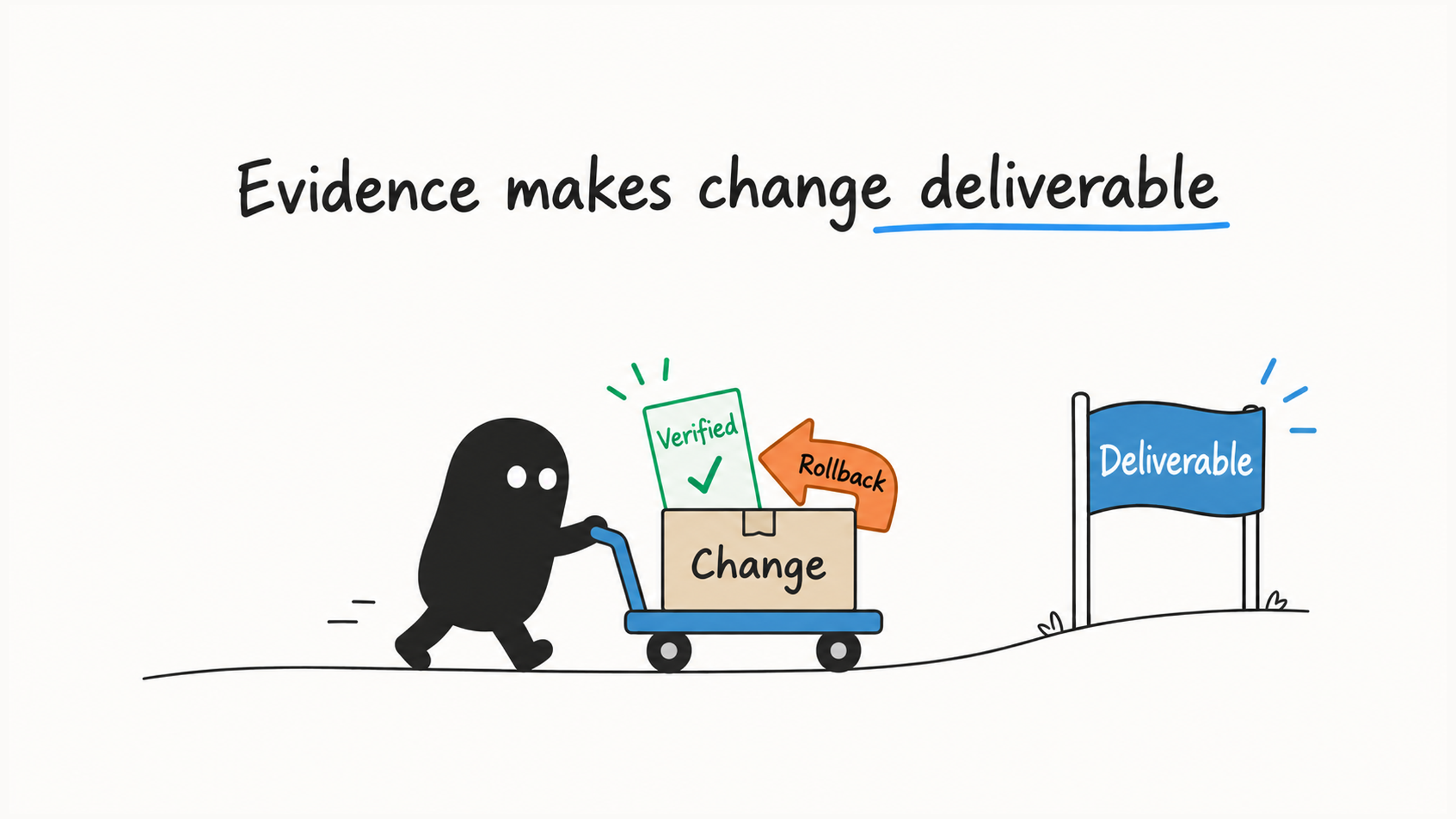
Before merging or releasing, check four lines of evidence:
- Approval: were remote, destructive, and release actions confirmed by someone with authority?
- Isolation: does each parallel task have its own session, branch, and file scope?
- Verification: do the tests, PR review, and CI conclusions have evidence someone can re-check?
- Rollback: if it fails, can local, remote, and deployed state be restored?
Whichever line is missing, fill it in before merging or releasing.
A delivery check might find that the push was authorized and the two worktrees didn't overlap, but the CI result in the report came from a commit three days old, and there's no recovery plan. Verify the latest commit first, then add recovery steps that fit the change: for pure code, a revert and redeploy may work, while database or external state changes need their own recovery. Approval, isolation, verification, and rollback all need current evidence.
To read CI results and find root causes when a run fails, debugging CI failures with Claude Code works through four layers. For what evidence each type of output needs, see the last table in four levels of review for AI-written code.
Those five findings only become useful once each one is marked verified, needs testing, or withdrawn, and fixes, tests, and follow-ups are scheduled to match.